Contents
- 1 Withdrawal rules on the platform (checked 4 October 2026)
- 2 How to withdraw money from IQ Option
- 3 IQ Option Withdrawal Problems
- 4 Effective withdrawal of funds from IQ Option account
- 5 Pros and Cons of Withdrawing from IQ Option
- 6 Withdrawal Options and Timeframes
- 7 Summary
- 8 Frequently Asked Questions
- 9 GENERAL RISK WARNING

Last updated: 4 October 2026. Withdrawal rules checked against IQ Option’s official help centre on that date.
You might be asking yourself, how to withdraw money from IQ Option? Today I’m going to show you the full procedure. It is good to pay out the money you earn. Of course, it is also good to leave part of the profits earned for reinvestment. In this way, by operating on more than the initial capital, you can earn even greater profits.
Key Takeaways
| –Withdrawing money from IQ Option is simple and user-friendly. |
| –Multiple withdrawals can be made in a single day, with a minimum withdrawal threshold of $2. |
| –Verification is necessary for secure and accurate transactions. |
Withdrawal rules on the platform (checked 4 October 2026)
- Free withdrawals: one per calendar month, whatever the payment method. After that IQ Option charges 2% per withdrawal, at most $30, €30, £25, 620 MXN or R$125.
- Minimum withdrawal: $2 by card, Skrill, Volet or WebMoney; $12 by SPEI; $10–12 by Neteller or crypto; $36 by Mexican bank transfer (or the equivalent in EUR, GBP or MXN).
- Brazil: bank withdrawals to 18 Brazilian banks from R$60; cards, Skrill and Volet.com from R$12. See our Brazil withdrawal guide.
- Processing: IQ Option asks you to allow up to 3 business days. Card refunds can take up to 21 calendar days at your bank.
- Deposits: no commission on any method, minimum $10, €10, £10 or 175 MXN.
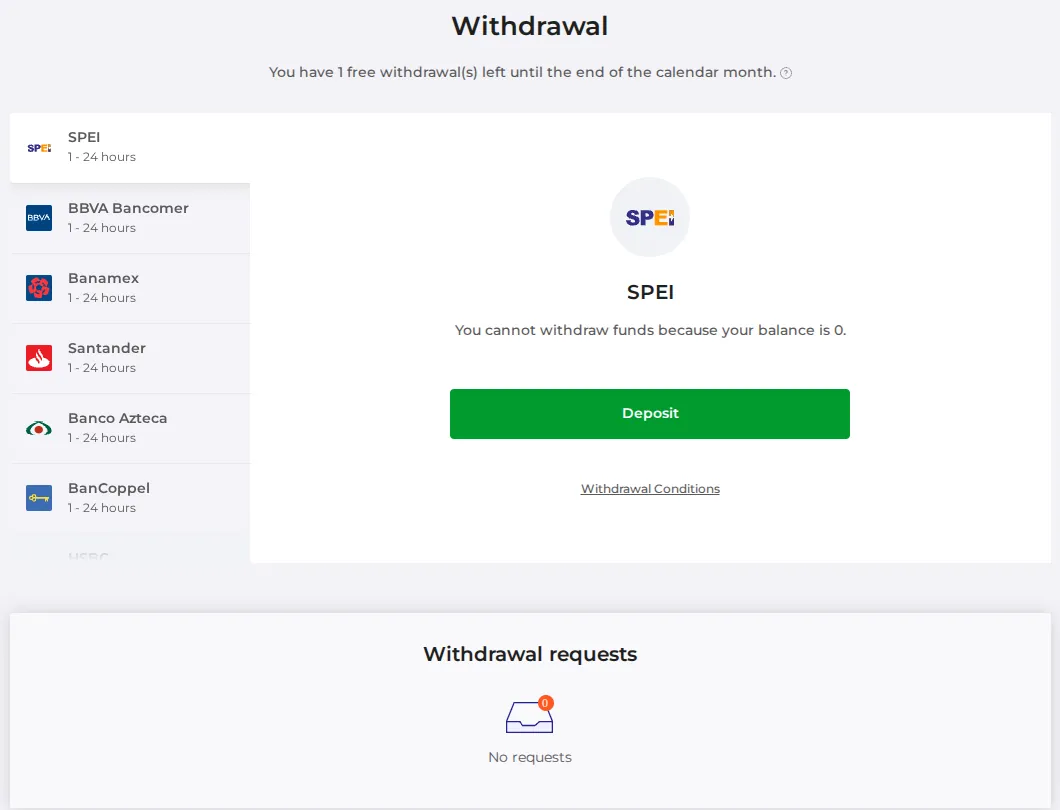
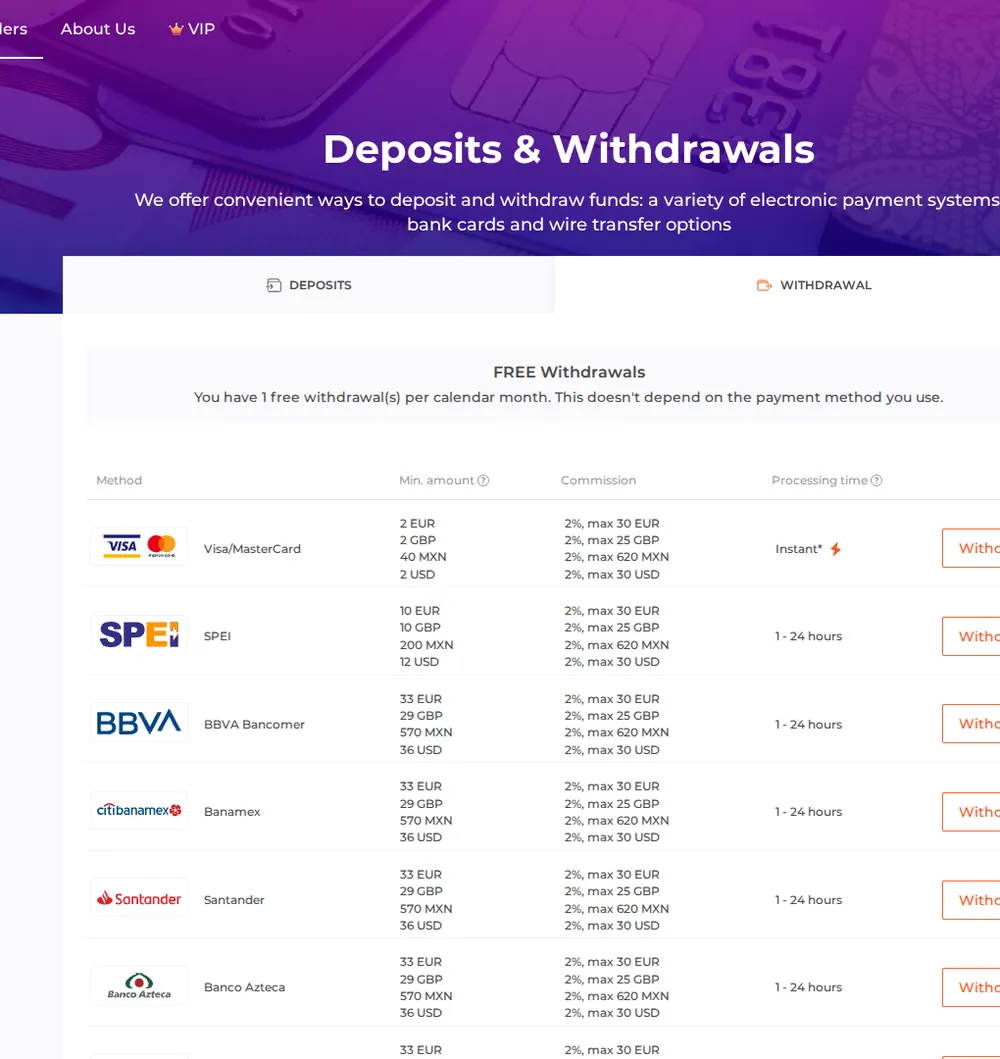
Source: IQ Option’s deposits and withdrawals pages (withdrawal conditions, deposit conditions) on the global platform, viewed from our account on 4 October 2026. Visitors from the EEA are sent to the EU site, which has its own fee page.
Recorded by IQ Option Wiki on 4 October 2026 on a Practice account registered in Mexico, so payment pages show Mexican methods. Options, payouts and fees depend on your country and can change; personal data in the screenshots is hidden.
How to withdraw money from IQ Option
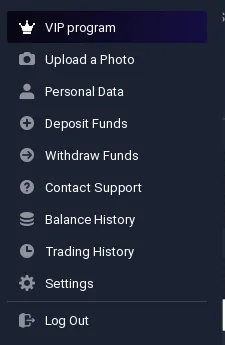
The first thing you need to do to withdraw funds is to log in to the IQ Option platform. If you are already logged in, click the triangle next to the profile photo in the upper right corner of the platform. The menu will then expand and you will easily go to the Withdrawal section.
 How to access the withdrawal section from the IQ Option platform
There, choose the payment method. I chose the payment card I used to deposit funds. The method you can use depends on how you deposited: you can send back to a card the total you deposited with it in the last 180 days, and profit above that goes to an e-wallet or a bank transfer. Money deposited from an e-wallet can only go back to the same e-wallet. IQ Option says it processes withdrawal requests within one business day (the same day, or the next business day when you ask outside business hours). After that the payment system and your bank need extra time, so a card refund can take several business days to appear.
 Withdrawal form on IQ Option
The form is very simple. Choose the card to which the money is to be sent. Then enter the withdrawal amount and confirm it with Withdraw funds button.
IQ Option Withdrawal Problems
It may happen that IQ Option will require additional verification of your card. Below you see a screenshot with such a request. This procedure is needed for legal reasons, but not for all jurisdictions. Just click the link from the email.
 IQ Option withdrawal review: It may happen that IQ Option will ask you to verify your card
The verification page allows you to choose which card will be verified.
 Choosing a card to verify
Then you have to upload the card images from both sides. Remember to cover the CVV/CVC code and the card number digits. Leave the first 6 and last 4 digits of the card number visible.
 Simply upload both sides of your card
Effective withdrawal of funds from IQ Option account
Each successful payment ends with an email confirmation.
 Withdrawal request confirmation email
You can also track the progress of your withdrawal in the Withdrawal section.
 You can monitor your withdrawal requests on IQ Option
Can two withdrawals be ordered in one day?
Many people are wondering if it is possible to order several payments in one day. Of course, it is possible. Below is an email with a confirmation of the second withdrawal.
 IQ Option withdrawal proof: An email confirming the second withdrawal
Both withdrawals were successful, which is also confirmed by the status of the order.
 Two withdrawals in one day
Pros and Cons of Withdrawing from IQ Option
Pros:
| Cons:
|
Withdrawal Options and Timeframes
| Withdrawal Method | Timeframe |
|---|---|
| Bank Card | Processed within 1 business day, then several business days at your bank |
| E-wallet | Processed within 1 business day, then credited by the e-wallet provider |
| Bank Transfer | Processed within 1 business day; interbank transfers take longer. Minimum 100 EUR, USD or GBP |
What is the IQ Option withdrawal limit?
IQ Option’s help centre sets a minimum of $2 for most methods and 100 EUR, USD or GBP by bank wire. You can make as many withdrawal requests as you like, but each one cannot exceed your current balance, and card refunds are limited to what you deposited with that card in the last 180 days. Some local methods have their own minimum, which the withdrawal form shows.
Can I withdraw money from IQ Option without verification?
In order to withdraw funds from IQ Option account, you must verify your identity. This verification is essential and mainly concerns your safety. It is about avoiding possible incorrect transactions within your account. Verification is not difficult. In principle, it is as simple as presenting a document that proves your identity. The second step, if the funds were deposited using a bank card, is to send a copy of the card with the number partially covered and the CVV number covered. IQ Option asks for a photo of your ID, a proof of address no more than six months old and, if you deposited by card, a photo of both sides of the card. We have described the whole process in the article on account verification at IQ Option.
Summary
I have shown today how fast and easy it is to withdraw money from IQ Option account. If you want to share your experience on this topic, please feel free to comment below.
I wish you big withdrawals!
📚 Continue Learning
Frequently Asked Questions
Q: Can I withdraw money from IQ Option without verification?
A: No, identity verification is essential for secure transactions and is required before withdrawing funds.
Q: What is the minimum withdrawal threshold on IQ Option?
A: $2 for most methods and 100 EUR, USD or GBP by bank wire, according to IQ Option’s help centre.
Q: How long does it take to receive funds after withdrawing from IQ Option?
A: IQ Option processes requests within one business day. After that the time depends on your bank or e-wallet provider; card refunds can take several business days.
Q: Are there any fees associated with withdrawing money from IQ Option?
A: On the global platform the first withdrawal of each calendar month is free and later ones cost 2%, at most $30 (checked 4 October 2026). The EU entity charges no bank-transfer fee to EEA clients and $31 per bank transfer outside the EEA. The withdrawal form shows the commission before you confirm. See our IQ Option fees guide.
Q: Can I make multiple withdrawals in a single day?
A: Yes, you can make several withdrawal requests in one day.