Contents

Last updated: 4 October 2026. Support channels checked on the platform and IQ Option’s contact page on that date.
IQ Option boasts hundreds of thousands of traders. It’s one of the platforms that’s designed to meet trader’s needs. Many of the platform’s improvements are allegedly made based on trader suggestions. One quick way to share your ideas with IQ Option staff is through their chats and support feature. But that’s not all you can do with this feature as you’ll find out in this article.
Key Takeaways
| –IQ Option’s chat and support feature allows users to interact with each other and the support team. |
| –Users can find mentors, tips, and signals through the chat threads but must be cautious to avoid scams. |
| –Always perform your own technical analysis before using any tips or signals obtained through the chat feature. |
How to contact IQ Option support (checked 4 October 2026)
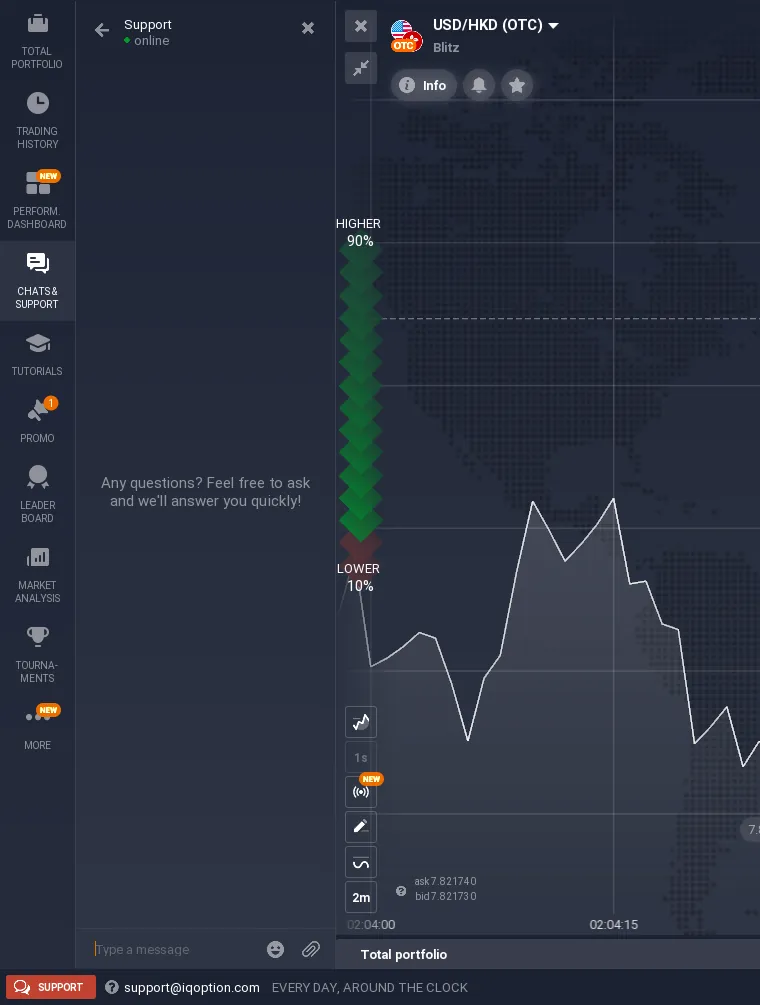
- Chat: in the platform, open CHATS & SUPPORT in the left sidebar and choose Support. IQ Option says its specialists answer in 3 to 5 minutes on average, every day around the clock.
- Email: support@iqoption.com.
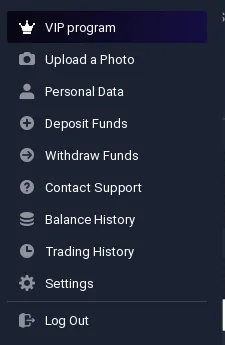
- Account menu: click your profile picture and choose Contact Support.
- Phone: the official contact page lists no customer-service phone number.
Which company you are dealing with
- Operator of iqoption.com (the global platform): SKY LADDER LLC, registration no. ILLC 004, The Colony House, 41 Nevis Street, Saint John’s, Antigua and Barbuda. The domain and all rights belong to SKY LADDER LLC.
- Payments: FIDELES LIMITED, registration no. HE 406368, Kyriakou Matsi & Anexartisias 3, Roussos Limassol Tower, 4th floor, 3040 Limassol, Cyprus.
- Clients in the EEA: eu.iqoption.com is operated by IQBroker Europe Ltd (formerly IQOption Europe Ltd), licensed by CySEC under licence 247/14.
Sources: iqoption.com/en/contacts and eu.iqoption.com/en/regulation, checked 4 October 2026.
Recorded by IQ Option Wiki on a Practice account registered in Mexico; personal data in the screenshots is hidden.
Overview of the IQ Option chats and support feature
This feature is found in the left sidebar of the traderoom, under CHATS & SUPPORT. You can access it on both the practice and real accounts. However, only real account holders can message chat members on this feature.
The chat and support feature allows traders to interact with each other directly. However, there are rules to adhere to. And in order to be allowed to communicate with other members, you must agree to these.
 How do I contact IQ support?
The chats and IQ Option support feature includes threads for different assets including forex, cryptocurrencies and stocks. It also includes a quick way to send a support ticket to the IQ Option support team.
It’s also worth noting that each thread has an admin and moderators. These are part of the support team and their role is to ensure that all rules are followed by members. Not following the rules can have you blocked permanently from this feature.
How do I contact IQ support via chat?
After logging into your trading account, click on the chats and support feature on the right of your interface.

If you want to contact IQ Option support team, click on support. Next, you should type in your message in the field that appears.

There are special situations when you need assistance from IQ Option, e.g: Why is IQ Option blocked? If this is the case, please click on the link in the question to check our article.
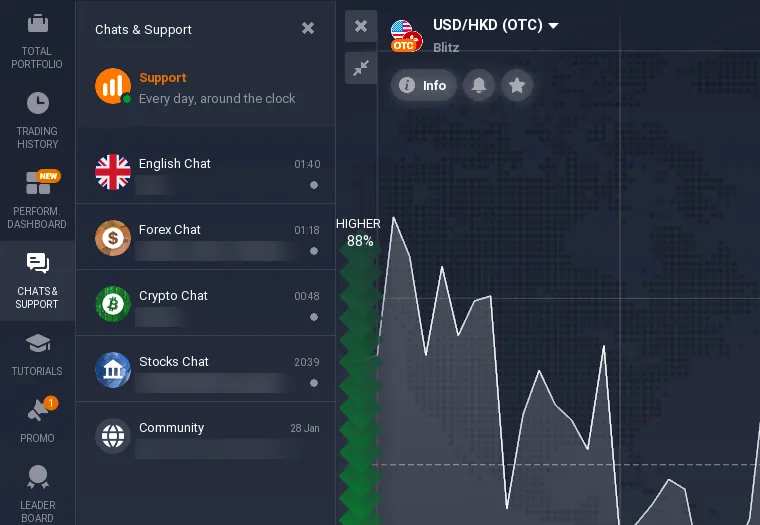
If you want to chat with other traders, you should click on one of the 4 chat threads provided. Here’s a brief explanation of these threads.
The English chat thread is general in nature. Here traders in all markets will come together to share their signals or even share tips. It’s a good place to find top traders who regularly offer their tips.
The forex chat is dedicated to fx traders. If you’re particularly interested in trading fx, this is the place to find tips on which pairs to trade at a particular time.
The crypto chat is dedicated to cryptocurency traders. This thread is the one with the least activity among the 4.
If you’re interested in stocks, the stocks chat is a great place to hang out.
Benefits of the IQ Option support and chats
If you’re new to trading, this feature makes a good place to identify top traders in the markets. Let’s take the forex chat below. The chat currently has 12 participants. However, take a look at their conversation. Some traders are explaining what they’re currently trading. This should give you a hint about which markets you should consider exploring.
The chats and support feature also comes in handy when you want to find a mentor. It’s easy to identify traders who consistently make profits. You can politely ask for tips and signals once you identify top traders.
But note that IQ Option doesn’t permit giving away personal information on the chats. This could lead to your account getting banned.

Your objective when using the chats feature it to find the time intervals when there are many online participants. This allows you to get tips and signals early enough. And if you have anything to share, do so. This earns you the goodwill of other members.
The next thread is the suggest an idea. IQ Option values input from traders. If you have an idea about how to improve the platform (or what they should chuck out), this is the place to share it.

Pros and Cons of IQ Option Chat and Support Feature
Pros:
| Cons:
|
Chat Threads Overview
| Chat Thread | Topic |
|---|---|
| English Chat Thread | General trading tips and interactions among traders. |
| Forex Chat | Dedicated to forex traders; tips on trading currency pairs and market insights. |
| Crypto Chat | Focused on cryptocurrency trading and discussions about market trends. |
| Stocks Chat | For stock traders to share ideas, news, and trading strategies. |
Use the chat and support feature with caution
There are many advantages to using the chats and support feature. However, breaking the rules set can have you banned. But this should be the least of your worries.
The chat feature could be a good place to find mentors, tips and signals. It’s also a den of scammers. It’s not unusual to come across “successful” traders giving away fake signals. Some will also go to the extent of offering a helping hand in a bid to get access to your trading account. Luckily, the IQ Option admin and moderators are known to keep an eye on each chat thread’s activities and flag down such people.
However, you should remember that IQ Option will not be held liable for losses you incur based on advice given on the chat rooms. Your only line of defense therefore is being cautious when interacting with members in the chat and support feature.
If you come across tips and signals, always do your technical analysis before using them. It’s better to miss out on a trading opportunity than use signals that will end up losing you money.
That’s all about the IQ Option support feature and chats. Be sure to drop by every once in a while and apply the tips I’ve just shared with you.
Good luck!
📚 Continue Learning
Frequently Asked Questions
Q: How can I contact the IQ Option support team?
A: To contact the support team, click on the “support” button in the chat and support feature, and type in your message.
Q: Can I use the chat and support feature on a practice account?
A: Yes, but you can only message chat members if you have a real account.
Q: What are the rules for using the chat and support feature?
A: Users must agree to follow the chat rules, which include not sharing personal information, to avoid being banned from the feature.
Q: How can I identify top traders in the chat threads?
A: Look for users who consistently share profitable tips and signals, and engage in meaningful discussions about trading strategies.
Q: How can I protect myself from scams in the chat threads?
A: Be cautious when interacting with other members, and always perform your own technical analysis before using any tips or signals obtained through the chat feature.
Ready to explore the chat feature? Open a free demo account and connect with other traders.